




Project
Project
Delta Professional
Delta Professional
Redesigning Delta’s B2B Experience
Redesigning Delta’s B2B Experience
Info
Info
Role
UX and UI Designer
Timeline
January 2025-August 2025
Tools/Lanuguages
Figma
Overview
Overview
Problem
Corporate travel managers and agency partners face a fragmented, outdated enterprise platform. Key functionality often feels buried, making it difficult to manage contracts, access traveler perks, and generate reports.
Corporate travel managers and agency partners face a fragmented, outdated enterprise platform. Key functionality often feels buried, making it difficult to manage contracts, access traveler perks, and generate reports.
Process
I was tasked with shaping scalable UI across core sections including dashboard, loyalty, and services. I worked to iterate comps into designs that balanced clarity, hierarchy and modular structure.
I was tasked with shaping scalable UI across core sections including dashboard, loyalty, and services. I worked to iterate comps into designs that balanced clarity, hierarchy and modular structure.
Product
The redesigned enterprise website now offers a more intuitive experience for travel managers and agency users. The tool serves 180+M users and is now an insight-driven workspace that aligns with the airline's long-term sales vision.
The redesigned enterprise website now offers a more intuitive experience for travel managers and agency users. The tool serves 180+M users and is now an insight-driven workspace that aligns with the airline's long-term sales vision.
Feature #1: Dashboard
Feature #1: Dashboard
Modular Mission Control
Modular Mission Control
As the landing space for the Delta Professional portal, the dashboard is the first impression users get of their relationship with Delta; Therefore, it is important that it feels trustworthy, intelligent, and forward looking. It houses critical data about contracts and usage, perks, and suggested actions.
As the landing space for the Delta Professional portal, the dashboard is the first impression users get of their relationship with Delta; Therefore, it is important that it feels trustworthy, intelligent, and forward looking. It houses critical data about contracts and usage, perks, and suggested actions.
Client Asks
Client Asks
Stakeholders wanted information to take center stage on the site. The challenge was to design a layout that provided a clear overview while also guiding users to understand the site’s capabilities and potential.
Stakeholders wanted information to take center stage on the site. The challenge was to design a layout that provided a clear overview while also guiding users to understand the site’s capabilities and potential.
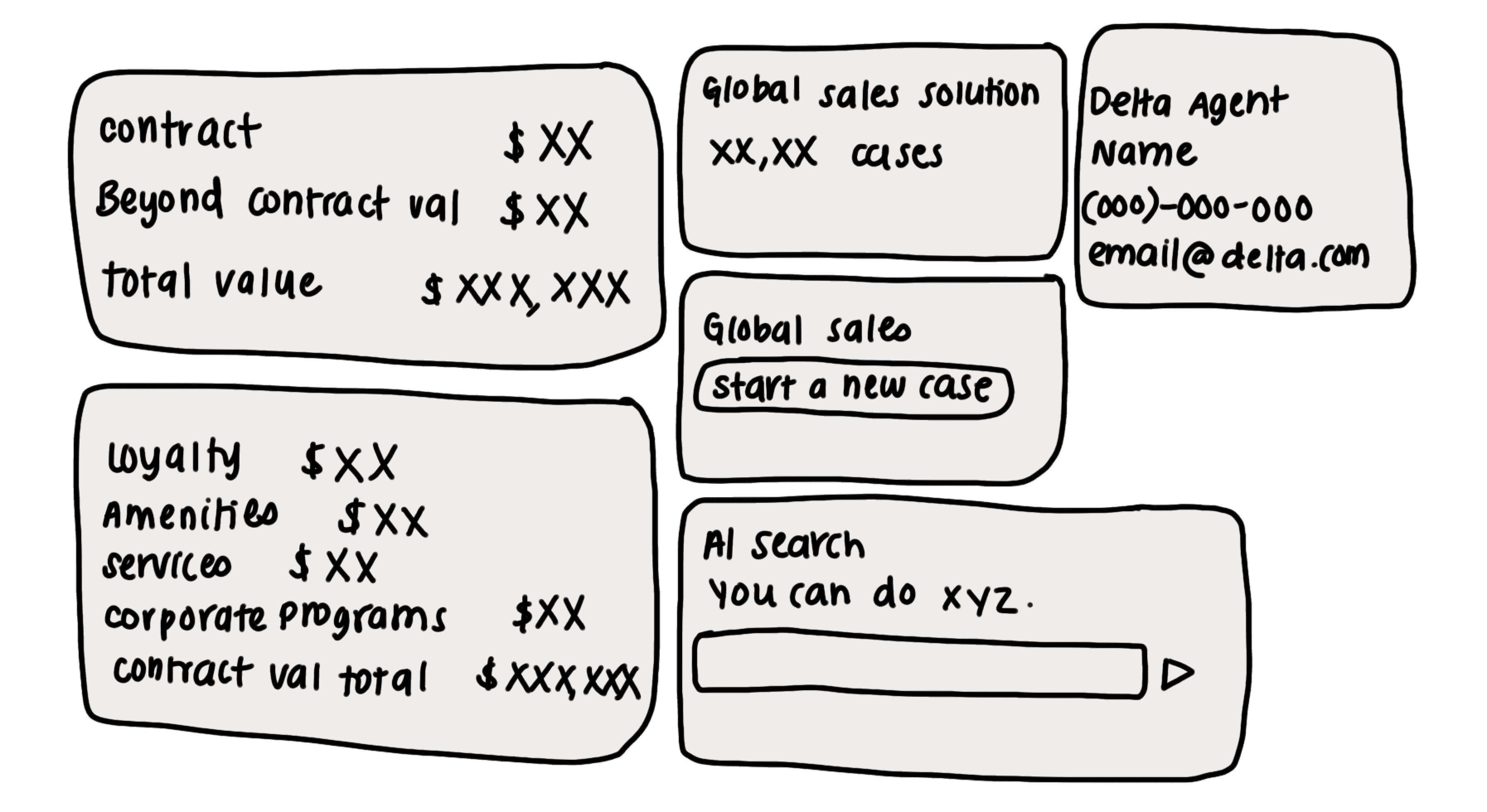
Wireframe Grouping
Wireframe Grouping
Give CTMs a clear view of account health, value, and impact by surfacing key actions and capabilities while also highlighting important metrics to build trust and transparency.
Give CTMs a clear view of account health, value, and impact by surfacing key actions and capabilities while also highlighting important metrics to build trust and transparency.
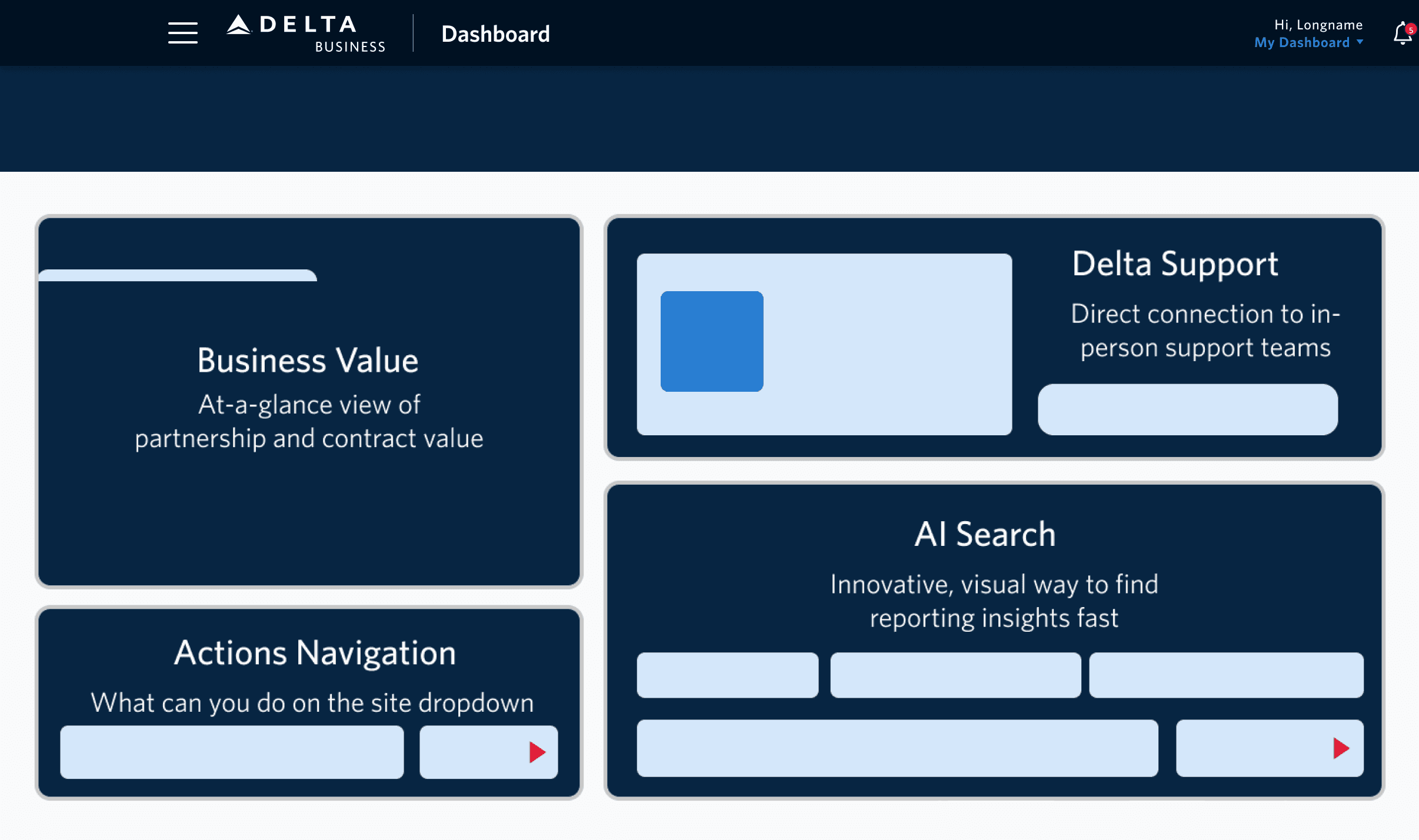
Final Dashboard Modular Header
Final Dashboard Modular Header

Feature #2: A Closer Look at the AI Component
Feature #2: A Closer Look at the AI Component
Visual Cues through aesthetics
Visual Cues through aesthetics
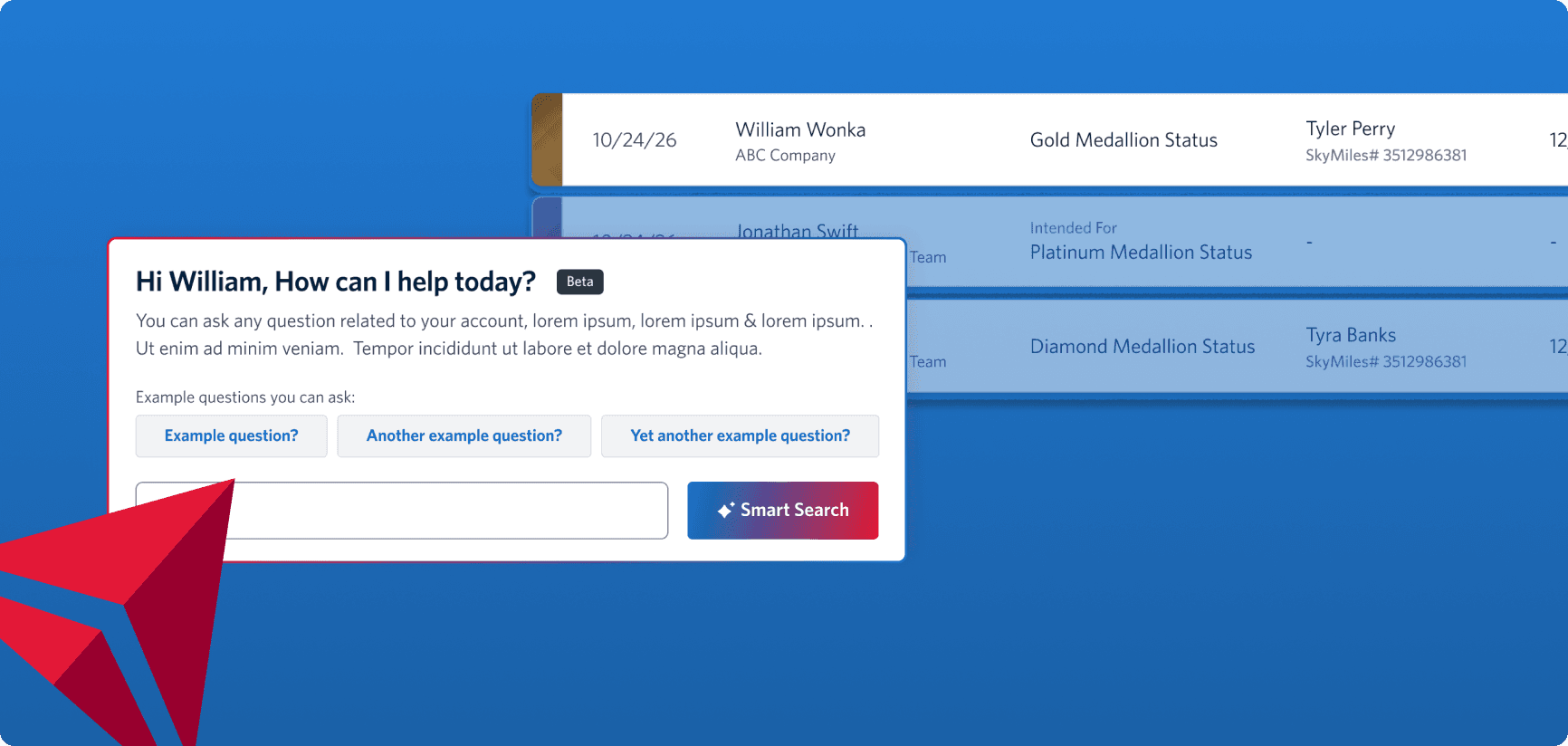
AI is introduced in the dashboard as a beta feature, allowing users to quickly find key data without needing to dig through views. For MVP 1, the scope of the search components is limited to just reporting questions, which means the design had to keep expectations clear but open the door for future capabilities.
AI is introduced in the dashboard as a beta feature, allowing users to quickly find key data without needing to dig through views. For MVP 1, the scope of the search components is limited to just reporting questions, which means the design had to keep expectations clear but open the door for future capabilities.
Iterations that didn't work
Iterations that didn't work
❌ Lacks guidance on AI scope results in little transparency
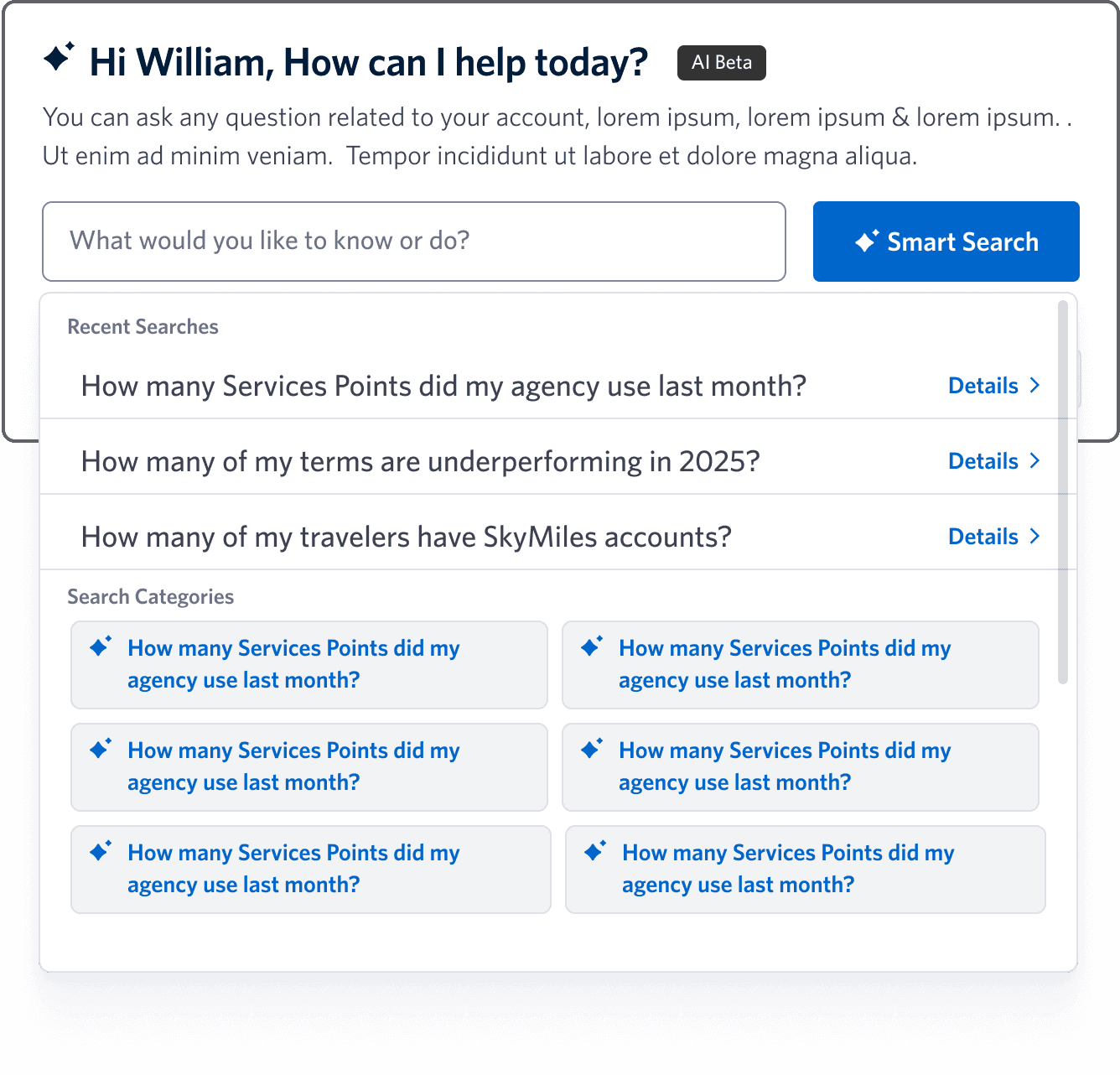
❌ Limited context and visibility with search result in dropdown
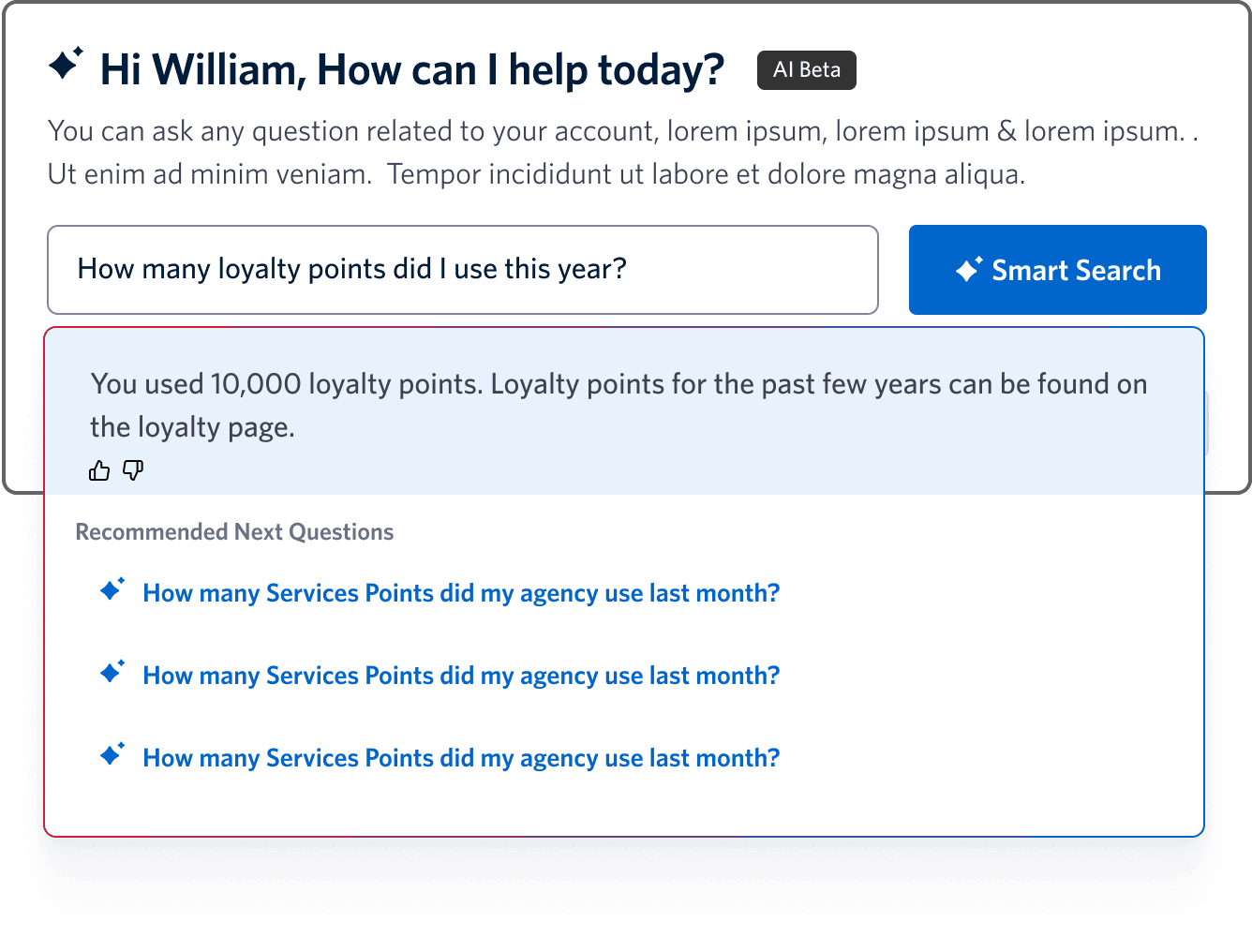
❌ Color palette lacks distinctiveness to signal AI identity and evoke excitement while maintaining visual harmony
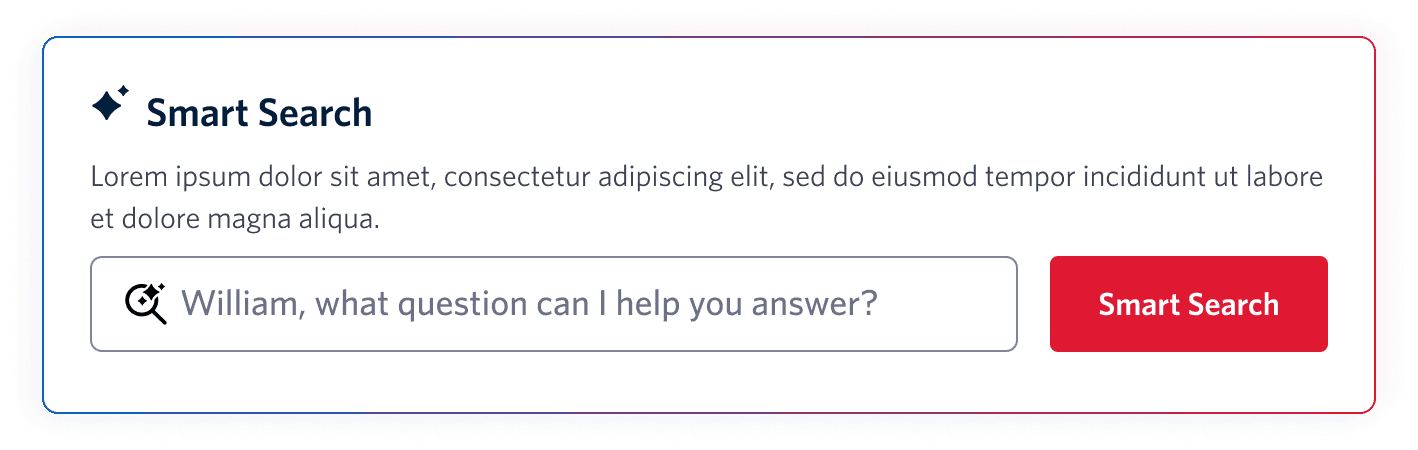
❌ Poor hierarchy fails visual hierarchy and information architecture best practices
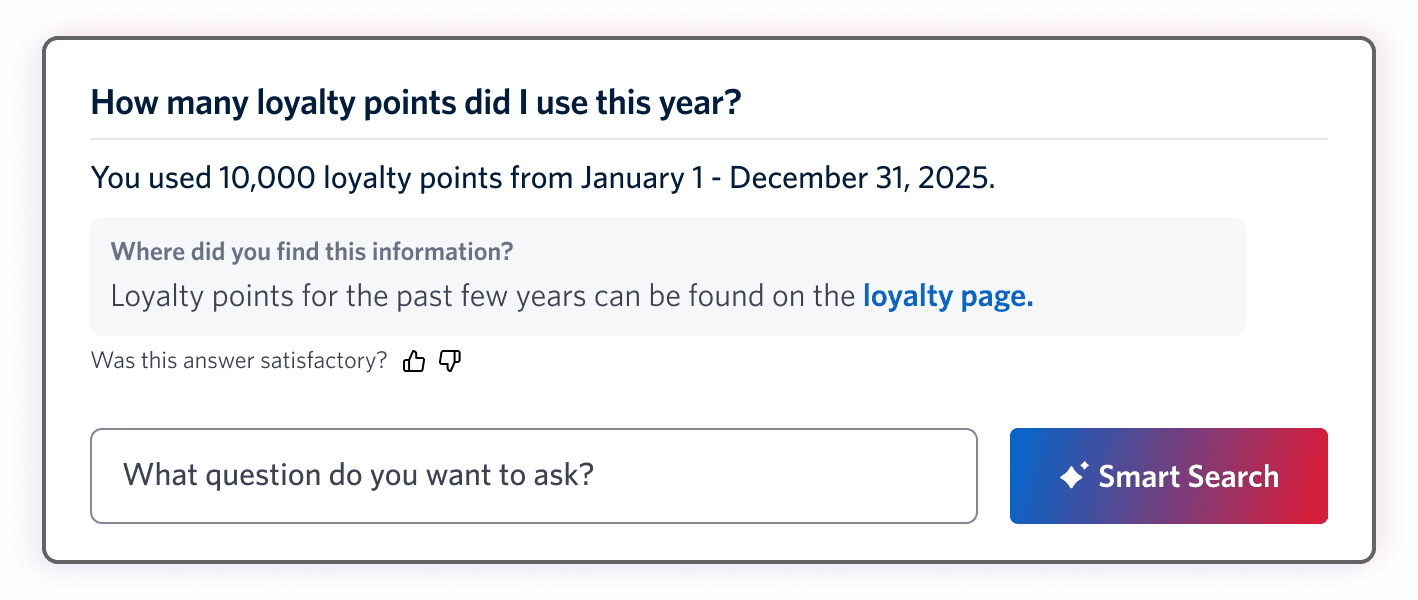
Final AI Component and Why it Works

The new design improves scannability and context with a dedicated results view, guided by progressive disclosure principles. Visual hierarchy and distinct AI branding create recognition and excitement, while transparent messaging builds trust and sets expectations for better engagement.
Final AI Component and Why it Works
Feature #3: Services Table
Feature #3: Services Table
Scalable Tables for Data-Rich Features
Scalable Tables for Data-Rich Features
I worked on product pages with dense data tables that surfaced key information at a glance while enabling users to act, filter, and explore. In the services flow, I refined the layout and interaction model by introducing sorting headers, expandable rows, search, and filtering to organize unused amenities and history.
I worked on product pages with dense data tables that surfaced key information at a glance while enabling users to act, filter, and explore. In the services flow, I refined the layout and interaction model by introducing sorting headers, expandable rows, search, and filtering to organize unused amenities and history.
✅ Intentional spacing & filtering Balances readability with compactness, supports large datasets.
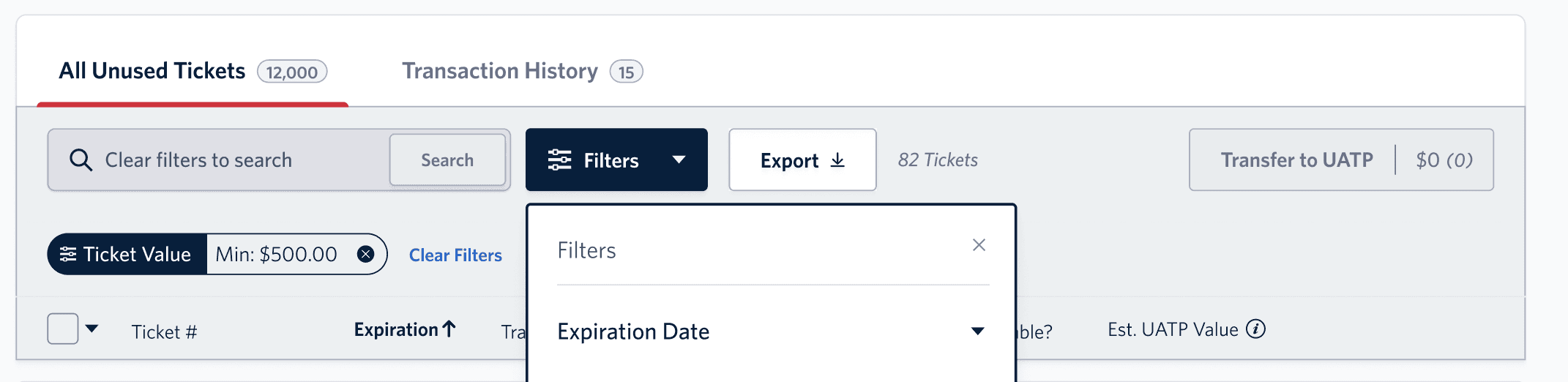
✅ Clear information grouping Separates identifiers from travel details for easy scanning.
✅ Clear information grouping Separates identifiers from travel details for easy scanning.

✅ Visual markers Icons provide quick, at-a-glance recognition.
✅ Visual markers Icons provide quick, at-a-glance recognition.

✅ Nested transaction history Pills and grouping make complex data easy to interpret.
✅ Nested transaction history Pills and grouping make complex data easy to interpret.
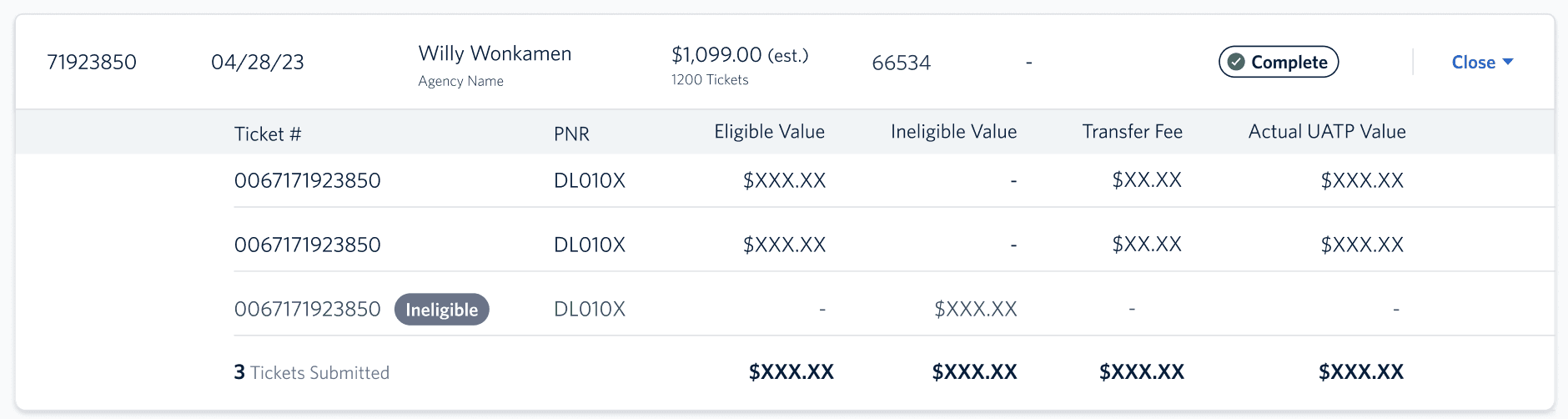
Final Services Table
Final Services Table

The final services table design balances clarity and usability through intentional information grouping, clear visual hierarchy, and thoughtful spacing. Key identifiers are separated from travel details for easier scanning, while filters and visual markers like icons support quick navigation. Transaction history is streamlined with pills and grouped totals, making complex data easy to interpret at a glance.
The final services table design balances clarity and usability through intentional information grouping, clear visual hierarchy, and thoughtful spacing. Key identifiers are separated from travel details for easier scanning, while filters and visual markers like icons support quick navigation. Transaction history is streamlined with pills and grouped totals, making complex data easy to interpret at a glance.
Takeaways
Takeaways
Intentional Design for Scalable Products
Intentional Design for Scalable Products
By approaching Delta’s operations tools with a focus on intentional, user-centered design, I ensured that each solution was not only functional for immediate needs but also adaptable for future growth. My contributions helped streamline workflows, reduce user friction, and create a cohesive visual and interaction framework that could scale across the organization’s evolving product ecosystem.
By approaching Delta’s operations tools with a focus on intentional, user-centered design, I ensured that each solution was not only functional for immediate needs but also adaptable for future growth. My contributions helped streamline workflows, reduce user friction, and create a cohesive visual and interaction framework that could scale across the organization’s evolving product ecosystem.
Want to see more?